


Turn Studying Into
Real winning

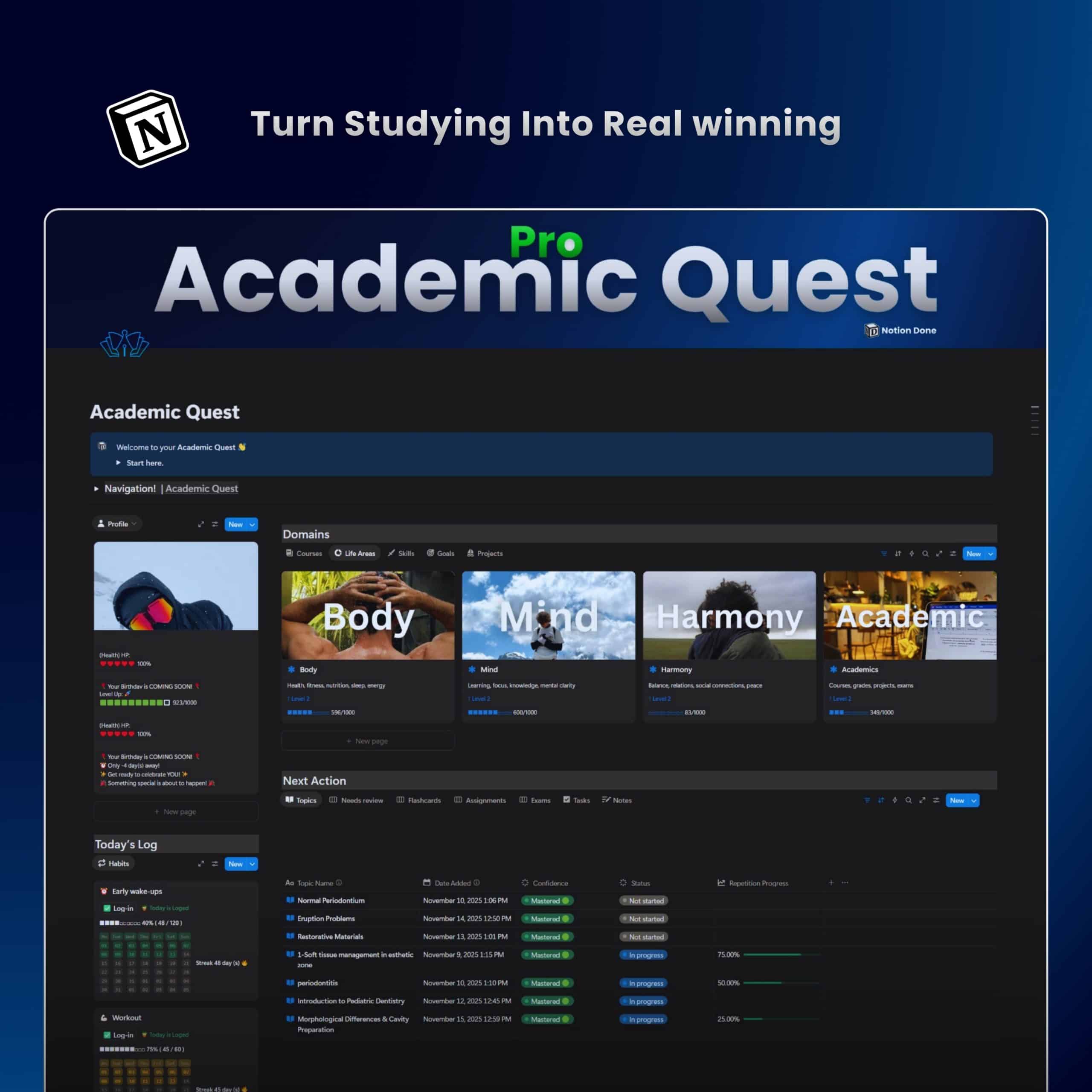
Academic Quest turns your messy study life into one clean, visual command center.
Built for students who want better grades and more free time – without 10 different apps.

Instant Notion access. One‑time purchase

reviewrs

Loved by 3,000+ students

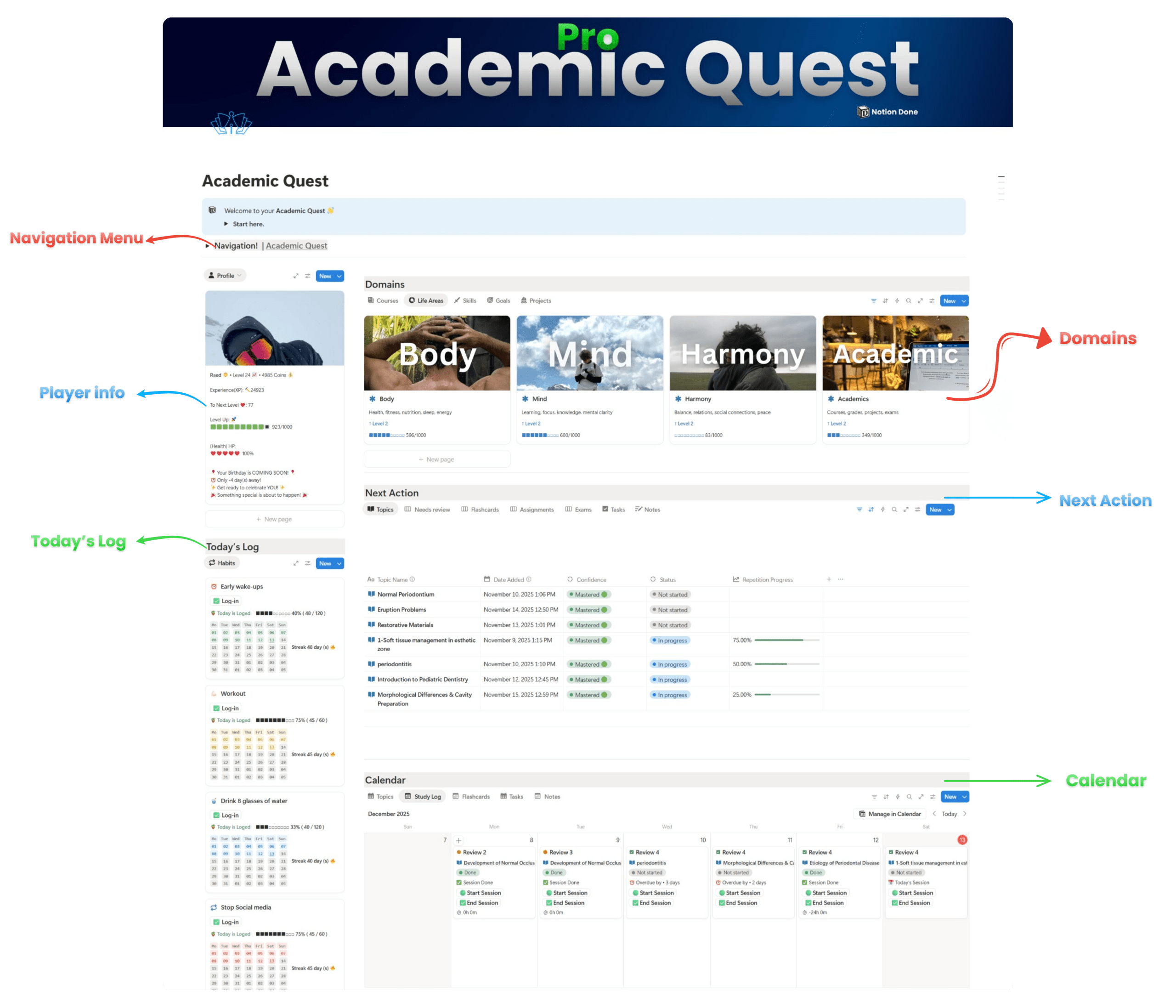
Academic Quest Notion template dashboard showing student study planner with tasks, subjects, deadlines, and progress bars in one system for better grades

📦 One system for every part of your student life

Right now, your tasks are in one app, your notes in another, your deadlines in your head, and your motivation… somewhere far away.

Academic Quest pulls everything into one Notion workspace so you never wonder “what should I be doing right now?” again.

Before After
  • 🗂️ All classes, assignments, exams, and projects in one dashboard

  • 📅 Clear daily view of what actually matters today

  • 📊 Grade tracker that shows where you’re winning and where you’re slipping

  • 💻 Built for laptop, tablet, and phone – same system, everywhere

🧠 Academic Quest is built on real study methods. Not vibes.

Academic Quest isn’t just a pretty Notion template.
It’s a full study system built on proven methods like active recall, spaced repetition, and time‑blocking – wrapped in a game so your brain actually wants to use them.

Instead of “sit and read for 3 hours,” you get clear quests: specific tasks, timers, and rewards that guide you through every study session.

🎯 Method 1: Active Recall Quests

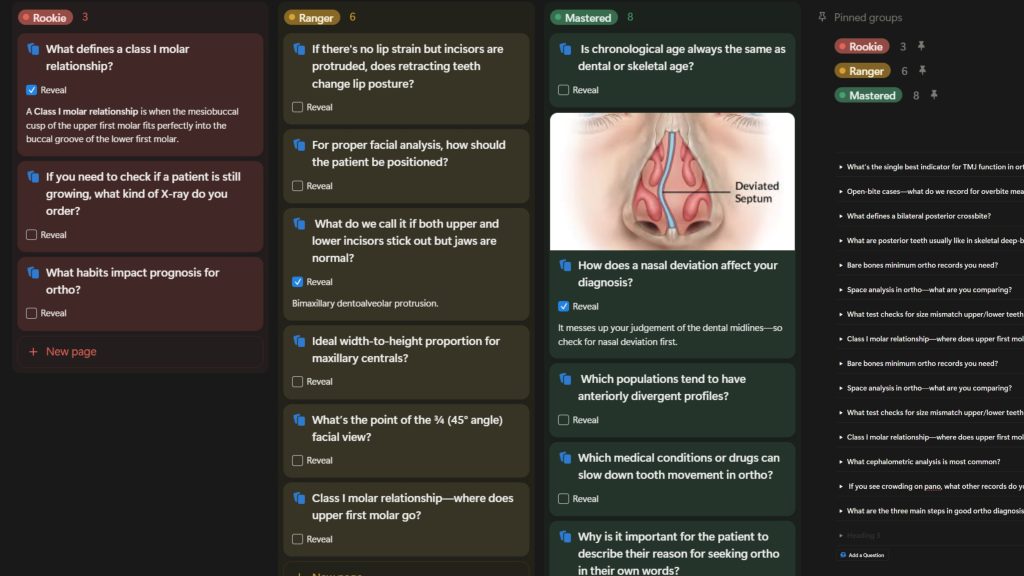
Student using active recall with flashcards and questions to test memory instead of rereading notes in a study session

Every topic has its own “Question Bank” page.

You turn your notes into questions, flashcards, and mini‑challenges.

Academic Quest then feeds them back to you in quizzes and review blocks so you’re constantly pulling information from memory, not just re‑reading.

🔁 Method 2: Spaced Repetition Schedule

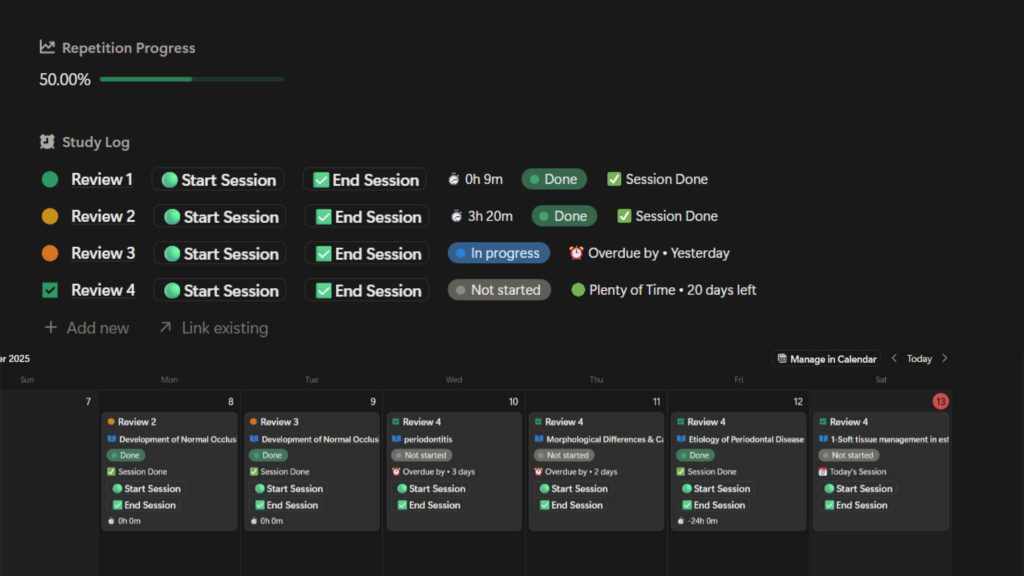
When you add a new topic,  the system automatically schedules the next review: 1 day later, 3 days later, 7 days later, etc.

You don’t have to remember when to revise – your Quest Board shows exactly what needs revisiting today.

Study environment with laptop, notebook, and Notion dashboard showing a student planning tasks and study sessions in a clean workspace

⏱️ Method 3: Focus Sessions with Built‑In Breaks

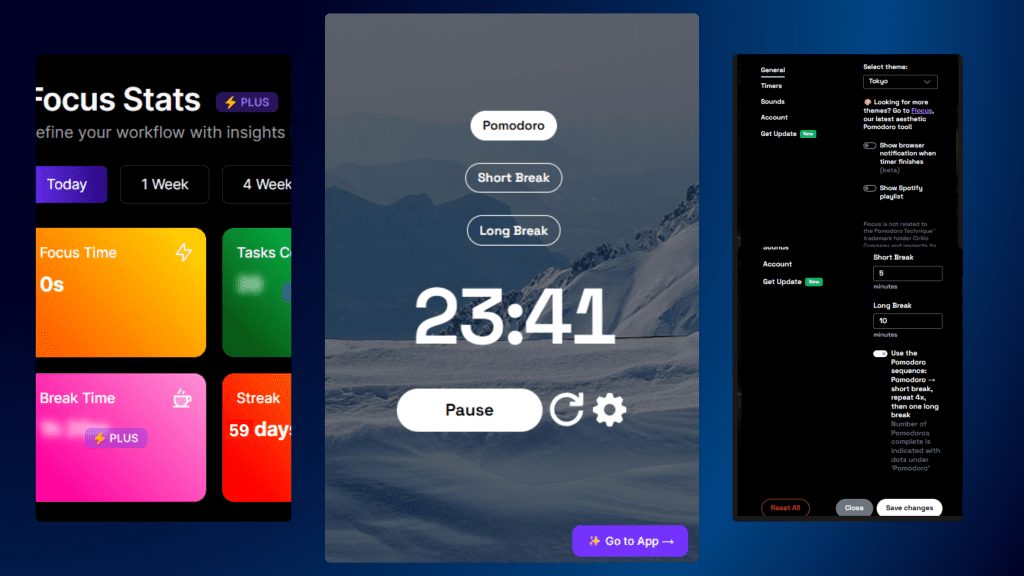
Pomodoro study timer illustration showing 25‑minute focus session with short breaks to help students study with better focus and less burnout

Pomodoro‑style blocks are built into the template.

You choose a quest, start a focus session, and log how many rounds you complete.

Breaks are planned, not “I got distracted and never came back.”

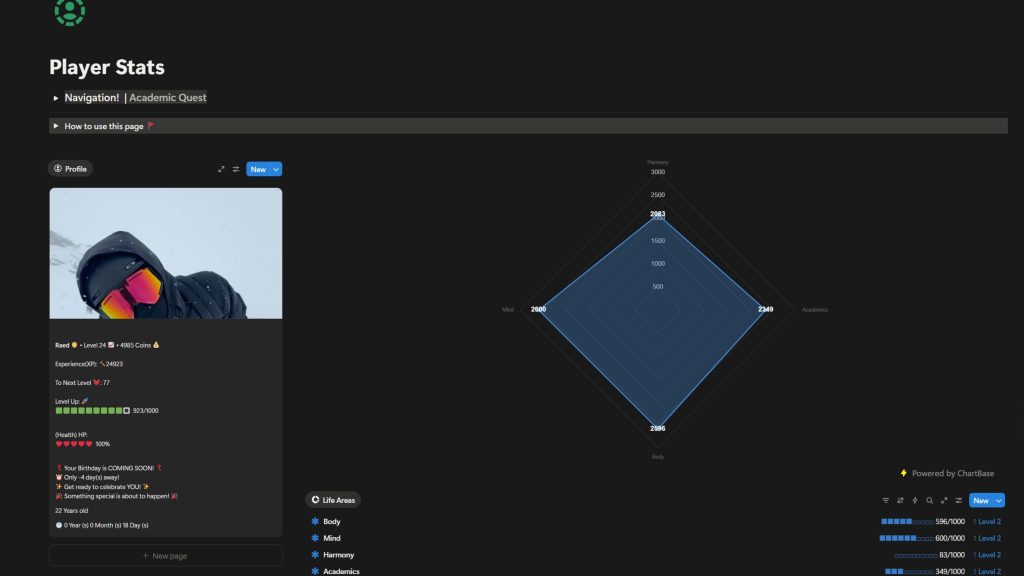
🏆 Gamification: XP, Levels, and Streaks

Every finished quest gives you XP.
Completing a focus session, finishing a topic, or passing a quiz all move your progress bar.

You level up across the semester, unlock milestones, and keep streaks alive – so even small wins feel satisfying.

Gamified Academic Quest Notion template dashboard showing quests, XP progress, and student tasks in an RPG-style study system

🎁 Reward System: Make Progress Feel Real

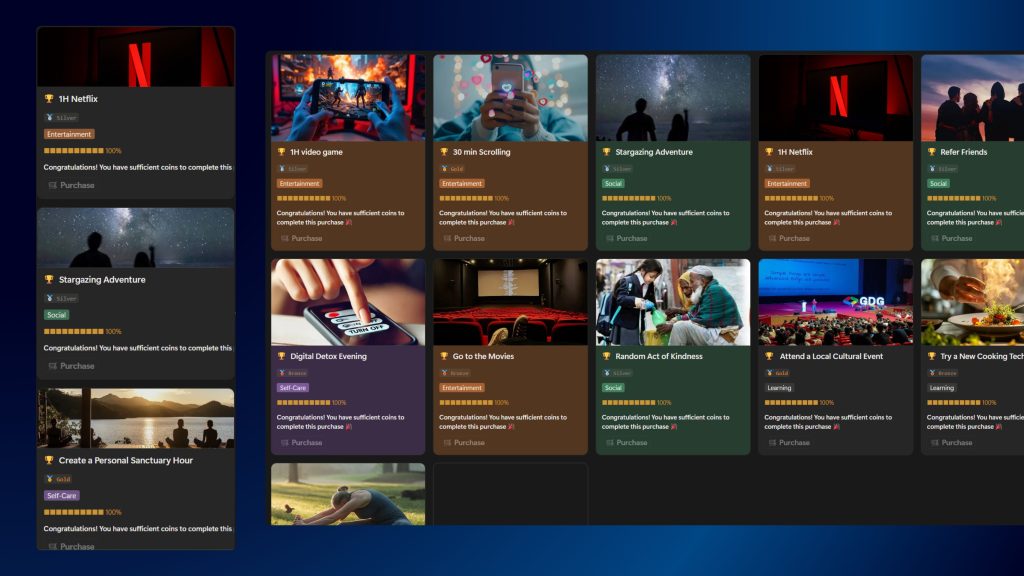
Rewards page in Academic Quest Notion template showing student reward ideas, XP goals, and motivation perks for finishing study tasks

You can connect XP milestones to real rewards:

“500 XP = movie night”, “Level 5 = day off scrolling guilt‑free.”

The template includes a Rewards page where you set your own prizes and let your future self enjoy the grind you put in today.

reviewrs

Loved by 3,000+ students

💪 Fully Updated for 2026

Academic Quest isn’t a dusty template from years ago.
It’s built for how students actually study in 2026 – constant notifications, AI tools everywhere, and way too many distractions.

You get a system that keeps up with you:

  • Optimized for the latest Notion features.
  • Designed for laptop, tablet, and phone.
  • Works perfectly alongside tools like Google Drive, YouTube, and AI note‑helpers.


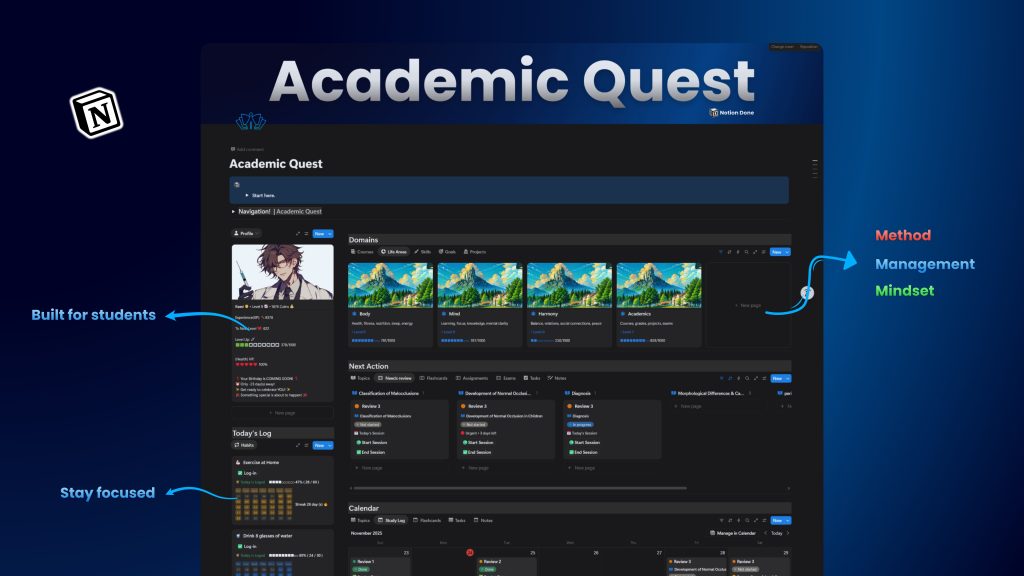
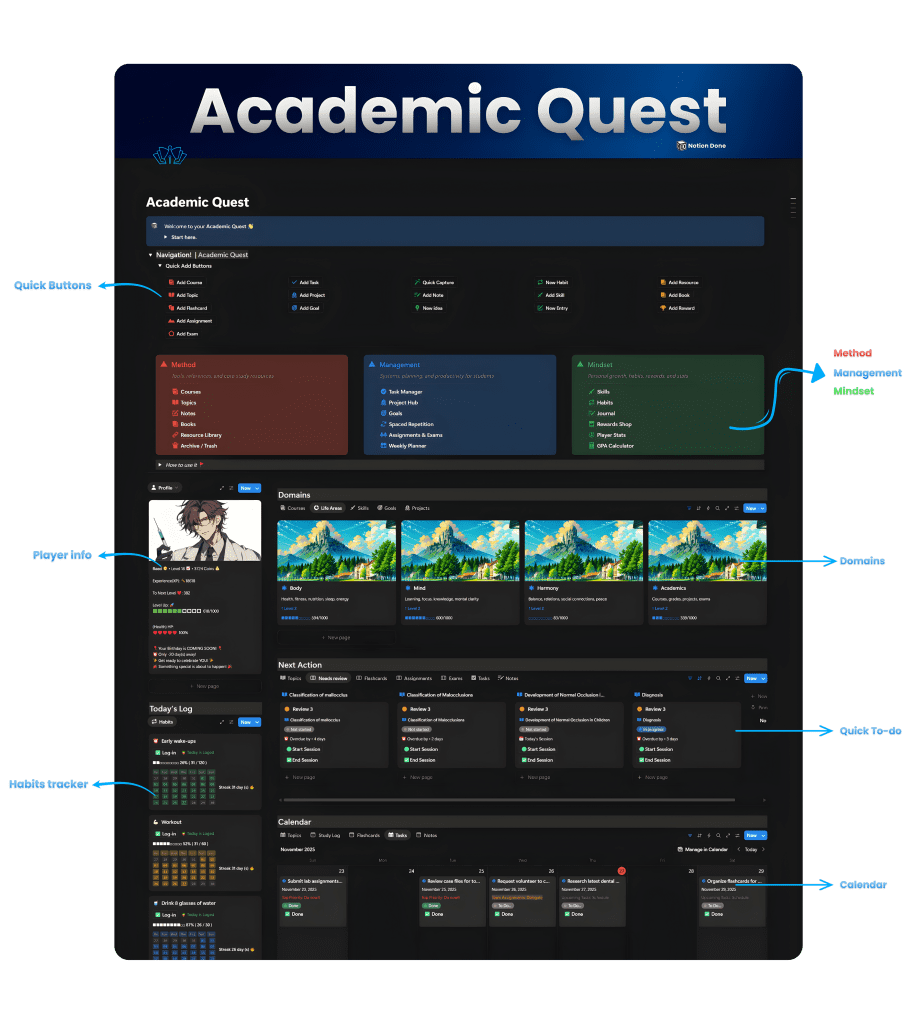
Academic Quest Notion template dashboard showing student profile with XP system, domain cards for different subjects, daily task log, and calendar view on dark theme interface

👥 Community Support That Keeps You Going

You’re not doing this alone.

You get access to a student‑only community where you can ask questions, share setups, and see how other people use Academic Quest to crush their semester.

  • Get help when you’re stuck, instead of abandoning the template

  • Share wins, streaks, and grades for extra motivation

  • Learn new study tricks from people using the same system as you

Academic Quest isn’t just a template.
It’s a study system plus a community that actually wants you to win.

🗂️ Built on PARA – So Your Brain Always Knows Where Things Go

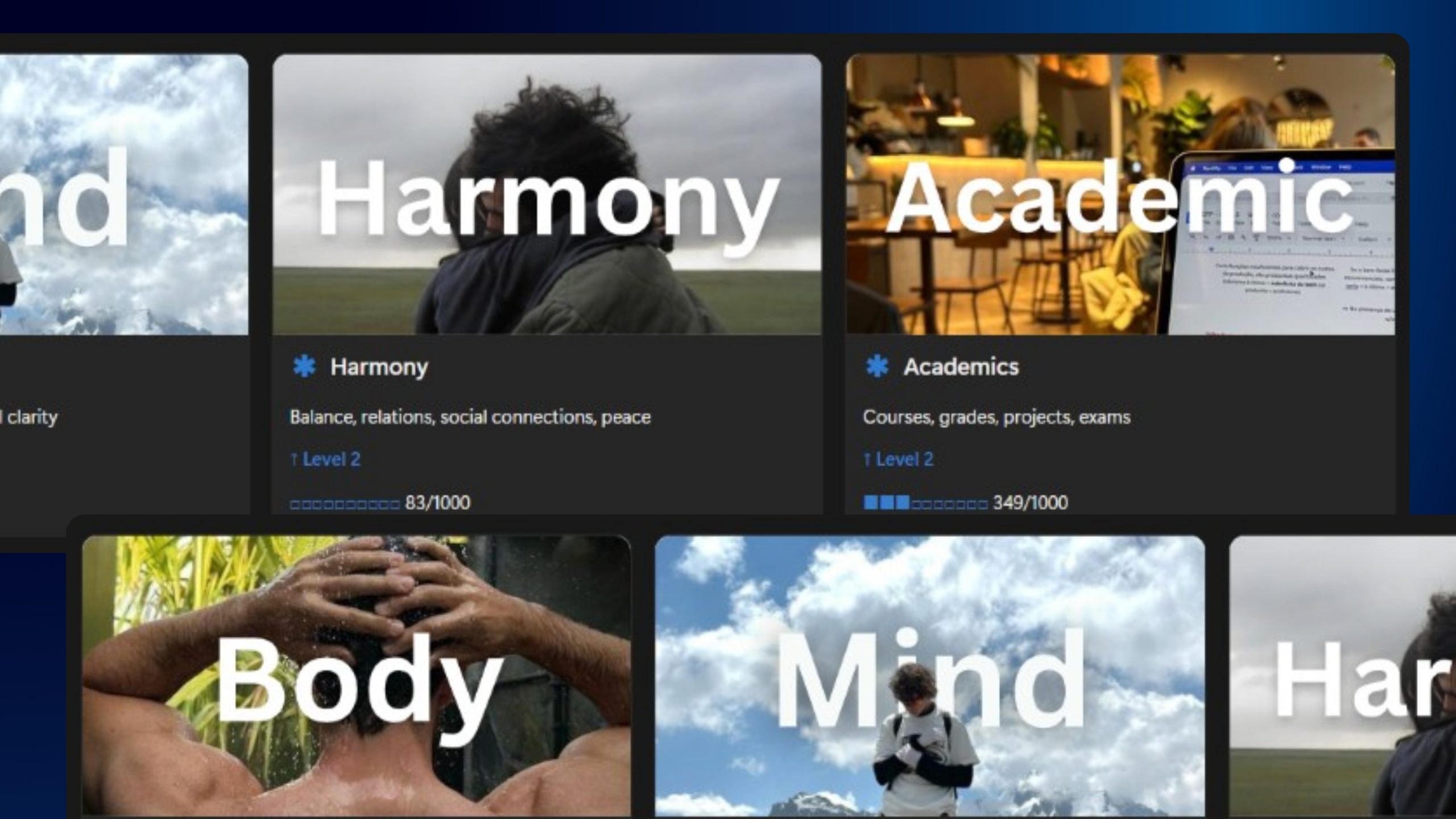
Life areas overview dashboard in Academic Quest Notion template showing different study and life categories with progress bars and status tags for students

Most students dump everything into random pages and hope for the best.
Academic Quest uses the PARA method so every piece of information has a clear home.

  • P – Projects
    Every assignment, exam, paper, and group project is its own project with tasks, deadlines, and progress.
    No more “where did that go again?”

  • A – Areas
    Ongoing parts of your life – each class, your health, your side projects – live in Areas.
    You always see which areas are balanced and which ones are slipping.

  • R – Resources
    Notes, PDFs, lecture slides, videos, and links are stored as Resources and tagged by topic.
    When you revise, everything you need is one click away.

  • A – Archive
    Finished semesters, old projects, and past notes move into Archive.
    Out of your way, but never deleted – perfect for future revision or reference.


PARA keeps Academic Quest clean and scalable, even when your semester gets heavy.

⚙️ Productivity Methods Baked In (So You Don’t Have to DIY Them)

Academic Quest quietly runs proven productivity systems in the background, so you just follow the plan:

  • Time‑blocking & weekly review – Plan your week once, then follow it instead of guessing every day.

  • Task batching – Study similar topics together to save brain energy and reduce switching.

  • Daily “Big 3” priorities – Each day you pick three non‑negotiable tasks; the template highlights them for you.

  • Habits & streak tracking – Study habits, sleep, gym, and reading can all be tracked in one dashboard.

  • Reflection prompts – End‑of‑week questions to help you fix what isn’t working and double down on what is.

You don’t need to know all the theory.
The template already translates the methods into simple, repeatable routines.

✨ Bonus Dashboards to Upgrade Your Whole Life, Not Just Your Grades

Academic Quest doesn’t stop at school.
You also get two extra dashboards to keep the rest of your life under control.

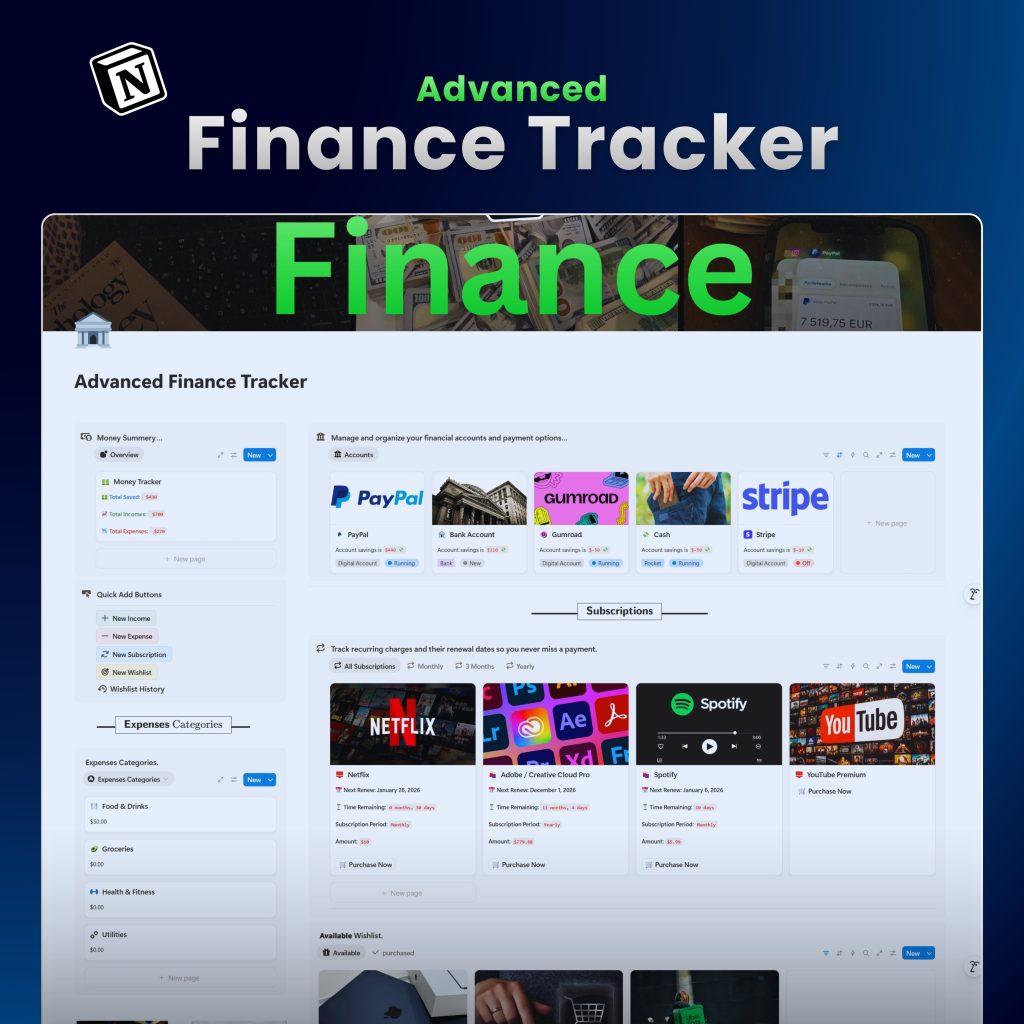
💸 Advanced Finance Tracker

Finally see where your money is going.

  • Log income, expenses, and subscriptions in seconds

  • See monthly summaries and category breakdowns (food, transport, study, fun)

  • Set saving goals for big things: new laptop, board exams, moving abroad

  • Perfect for students trying to stay on budget without a complicated spreadsheet

Bookshelf with stacked books and reading workspace representing student study, learning, and book notes

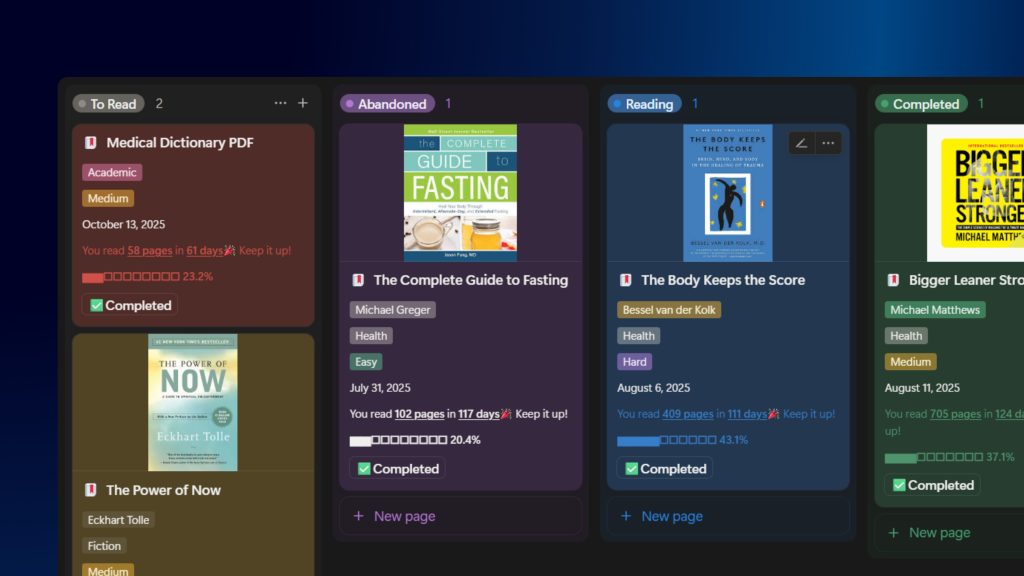
📚 Book & Learning Tracker

Because smart studying doesn’t stop at textbooks.

  • Track books, courses, and articles you’re learning from

  • Organize by topic (dentistry, productivity, finance, etc.)

  • Add key takeaways and ideas you want to apply

  • See what you’ve finished and what’s still “on deck” for later

reviewrs

Loved by 3,000+ students

🚀 Start Simple. Move Faster.

You don’t need to rebuild your whole life in one night.
With Academic Quest, you start with the basics: classes, assignments, and exams.
Once that’s running smoothly, you turn on the extra power features – quests, XP, finance tracker, reading list, and more.

Quick action buttons in Academic Quest Notion template showing one‑click shortcuts for adding tasks, subjects, exams, and study sessions

The system grows as you do.
Day 1 is easy.
Week 4 feels insane compared to how you used to study.

Buy Academic Quest

No fuss, no subscriptions.
Academic Quest is a one‑time purchase that also gives you lifetime access to all tutorials and the student support community.

Basic

$49
$ 29
Lifetime
  • All-in-one Dashboard
  • All features are included
  • Mobile Version
  • Multi-theme
Popular

Pro

🌟 Best for students who want the full experience and long‑term updates
$99
$ 49
Lifetime
  • Everything in basic
  • Life-time updates
  • Priority Support
  • Community support
  • Step‑by‑step setup guide
  • + 🪙Finance Tracker
Best Value

Loved by the community.

4.7
Based on 150 reviews
5 star
86
86%
4 star
5
5%
3 star
4
4%
2 star
5
5%
1 star
0%
Sarah Mitchellus
Reviewer
5/5

Best tool I've ever bought for school. Genuinely transformed my academic trajectory!

6 months ago
Marcus Chensg

Reviewer
5/5
Finally Have an Edge

While peers cram, I'm studying systematically. The competitive advantage is real!

6 months ago
Zara Johnsonuk
Reviewer
5/5
This Template Pays for Itself

One improved grade easily worth the template cost. ROI is massive!

6 months ago
Oliver Zhangcn

Reviewer
5/5
Exam Confidence at Peak

Know material cold because of systematic review. Exam day anxiety completely gone!

6 months ago
Dr. Amelia Scottau

Reviewer
5/5
Research Simplified

Citation tracking, source organization, research timeline all integrated. Thesis writing streamlined!

6 months ago
Aria Martinezmx

Reviewer
5/5

Reading other students' success stories keeps me motivated and using the template!

6 months ago

Frequently Asked Questions

I'm already using Google Calendar and Notes. Why switch?

Google Calendar doesn't track what you learned or your grades.

Academic Quest connects everything: grades, assignments, study materials, and study time.
You're not adding a new app. You're replacing five apps with one system that actually talks to itself.

I'm terrible at staying consistent. Will this actually help?

Yes. The gamification system is designed for exactly this problem.
You see your habit HP drop when you skip study sessions—real consequence.
You see XP accumulate when you show up—real reward.
Your study streak is always visible—real motivation.
It's not about motivation. It's about making consistency impossible to ignore.

Won't I just duplicate it and never use it?

Possible. But the system is built to make using it easier than not using it.
Spaced repetition reminders push you to review.
Assignment deadlines appear on your dashboard.
XP accumulates without effort—but only if you study.
It's frictionless. Most students use it within 48 hours and never look back.

How is this different from Second Brain or other Notion templates?

Those are general productivity systems.
Academic Quest is built specifically for studying.
The study methods (active recall, spaced repetition, Pomodoro) are built in—not something you add yourself.
The gamification is tuned for student motivation, not general productivity.
GPA calculation, exam prep, and grade projections are automatic.
This is built for you. Not for someone trying to adapt a generic system.

Can I customize it for my specific classes?

100%. Add or remove classes. Change names. Adjust deadlines. Create your own quest types.
Want to add a new database for your major? Do it.
Want to remove the gamification? Hide it.
You own it completely once it's in your workspace.

Does this work on Notion's free plan?

Yes. The entire system works on the free plan.
No hidden paid Notion features required.
Pro tip: Notion's free plan is honestly all most students need.

What if my semester is halfway through?

No problem. Import your grades so far. Update your assignment timeline.
Start seeing the benefits immediately.
You don't have to start from scratch.

30-day guarantee—does it actually work?

Completely. Try it for a month.
If you're not happier with your grades, your organization, or your studying, we refund every penny.
One email. Full refund. No questions.

Another Question? Email me or send me on Instagram.

Join 3,000+ students who stopped wasting time and started winning.